How to Pick the Right Font for Your Labels

Estimated reading time: 4 minutes
What are the best fonts for your labels?
The typography you use on your label communicates more than just words. The fonts, sizes, colors, and even the combination of different fonts can express a mood, establish a style and create an emotional connection with consumers.
The design team here at Avery put together some tips to help you pick the right font for your product labels. Whether you’re ordering custom labels or printing them yourself, these tips should help you make the best choice when choosing your label font.
The difference between a typeface and a font
You may hear both typeface and font used to describe the type of lettering used in a design, but they’re actually two different things. The typeface describes the overall design and look of the characters. They’re also referred to as a font family. In the font family are the actual fonts — the set of characters with a specific weight, width, and style. For example, Helvetica is a typeface, and in this font family are Helvetica Light, Helvetica Narrow, Helvetica Italic, and other fonts.
Categories of typefaces
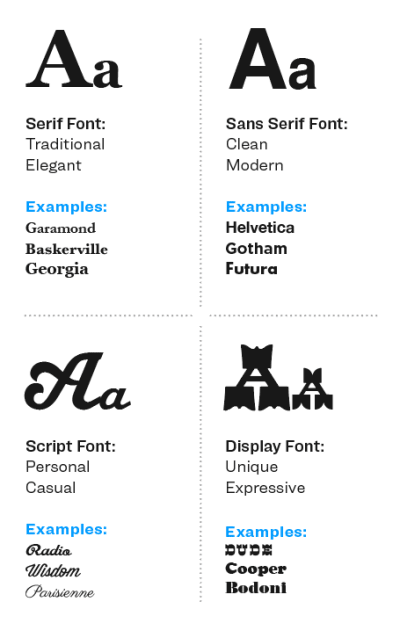
There are basically four groups of type: serif, sans-serif, script, and display.
- Serif typefaces have a little stroke or line, known as the serif, at the ends of the characters.
- Sans-serif typefaces have characters without serifs
- Script typefaces are formal or casual and are designed to appear as if they are handwritten
- Display typefaces cover a wide variety of character styles and are generally used for headlines and not intended for text copy.
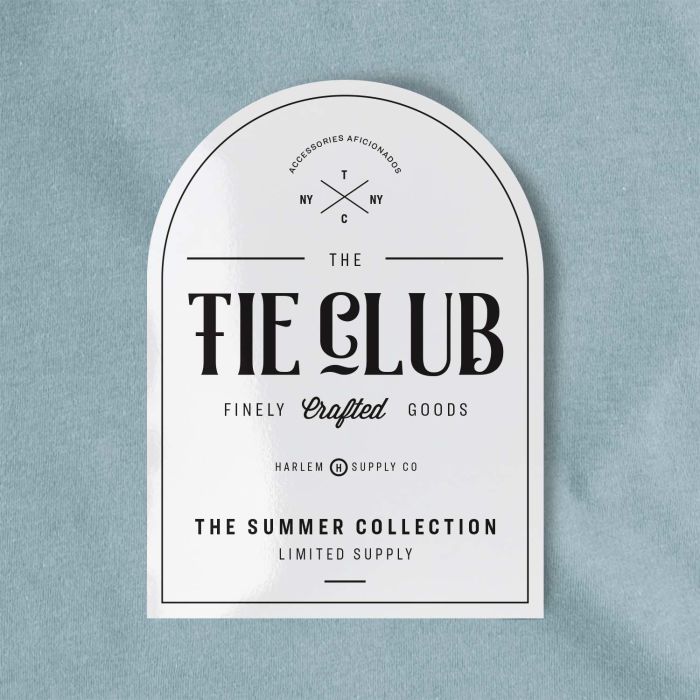
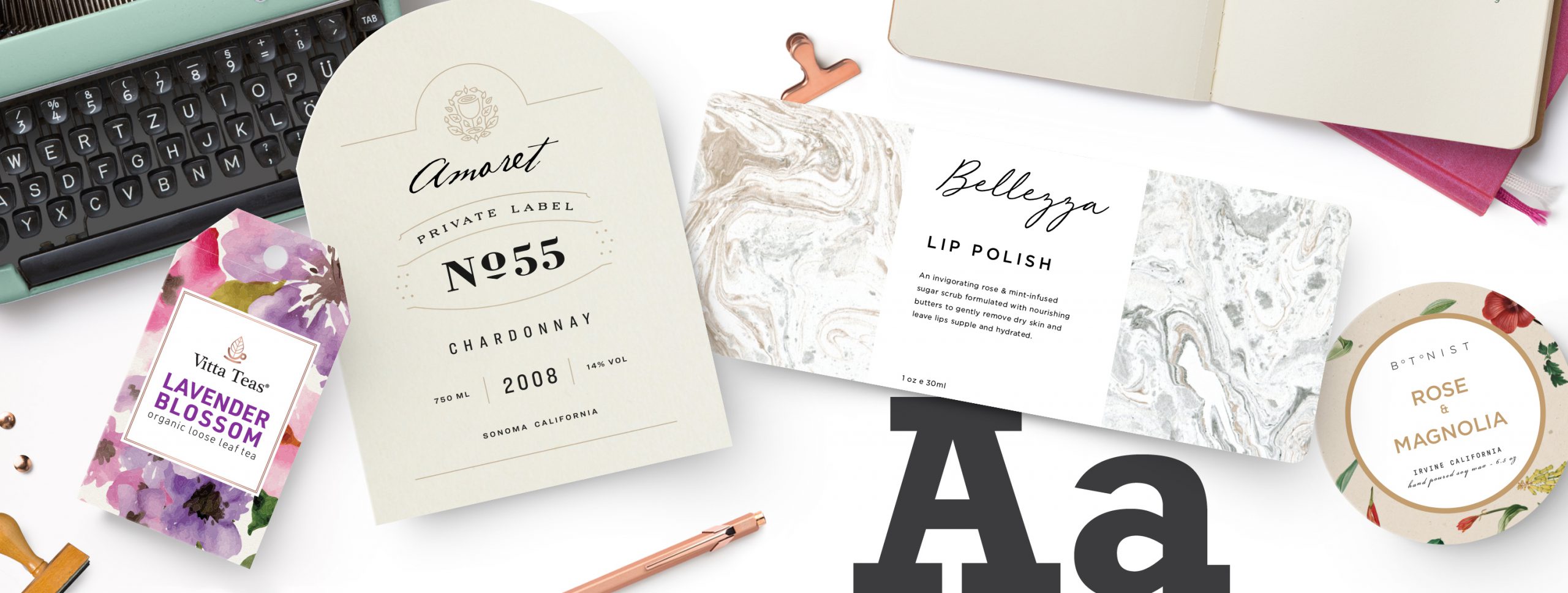
Display, sans serif, and script fonts coordinated together, create a sophisticated look without looking crowded on this arched label.
What’s your brand’s personality?
To choose the best label fonts, you’ve got to know your brand. What’s the personality of your brand? Is it fun, sophisticated, or down-to-earth? What does your brand stand for? How does it appeal to your target consumers?
Try these four steps to narrow down your selection:
- Know your market and select fonts appropriate for your target
- Pair display fonts or script fonts with simple fonts so they don’t compete against each other
- Make sure your label font is legible and meets regulatory standards for your product
- Compare different fonts and see how they work with your graphics
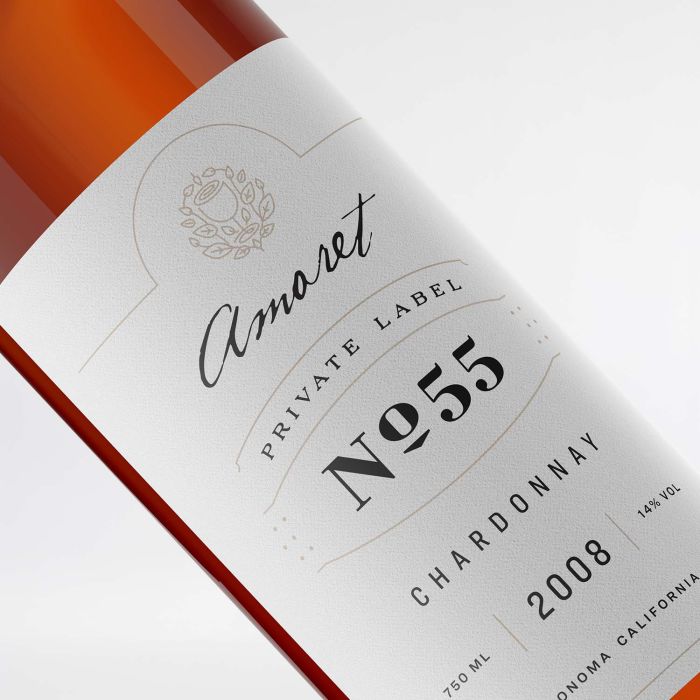
The use of the script font for the brand name and display font for this wine label brings these elements to the forefront.
Make sure the label fonts you select, create the right impression for your brand. Once you get a feel for what your brand is all about, it’ll be easier to find the right font or combination of fonts. It may not pop out at you right away, so go through some options. Select a handful of fonts that might work, then narrow them down until you find what works for your products.
What size font should you use for your labels?
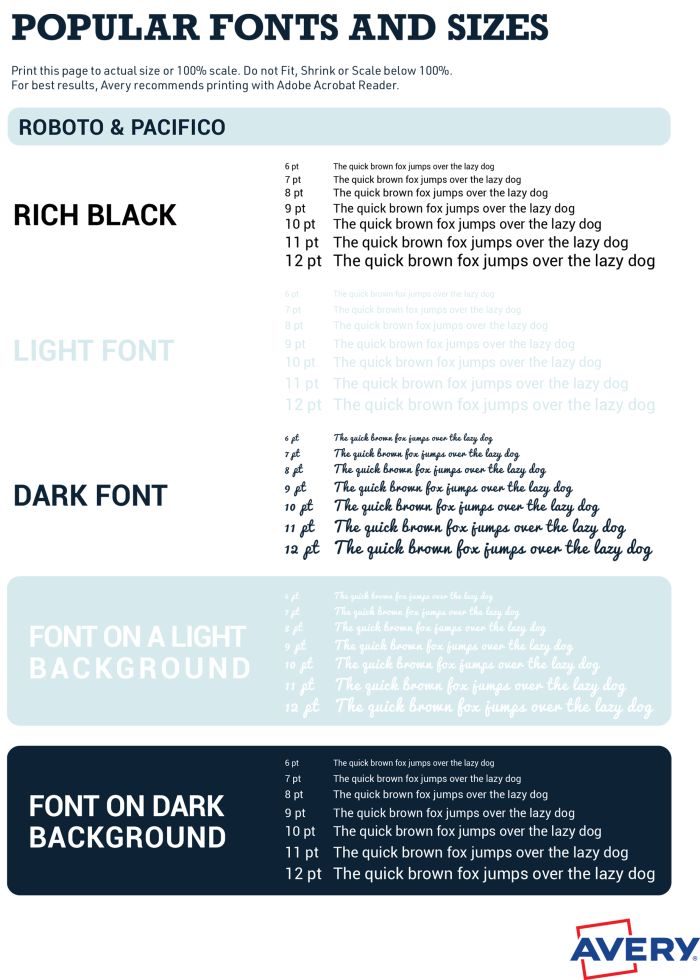
Our designers put together three sample font PDFs to help you see what a popular label font looks like printed in different sizes and colors, and on different backgrounds.
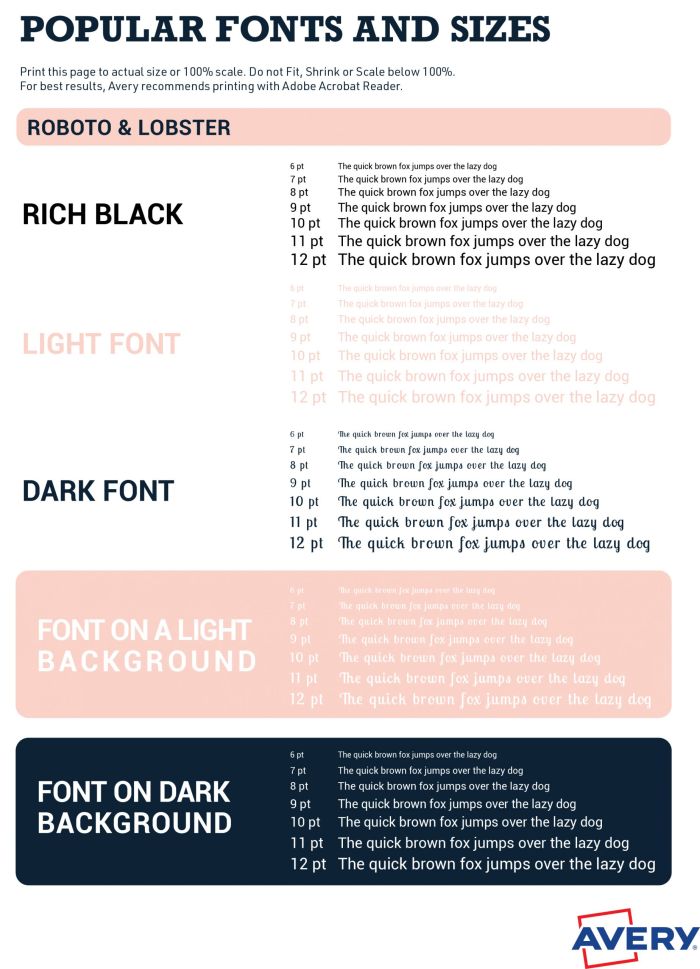
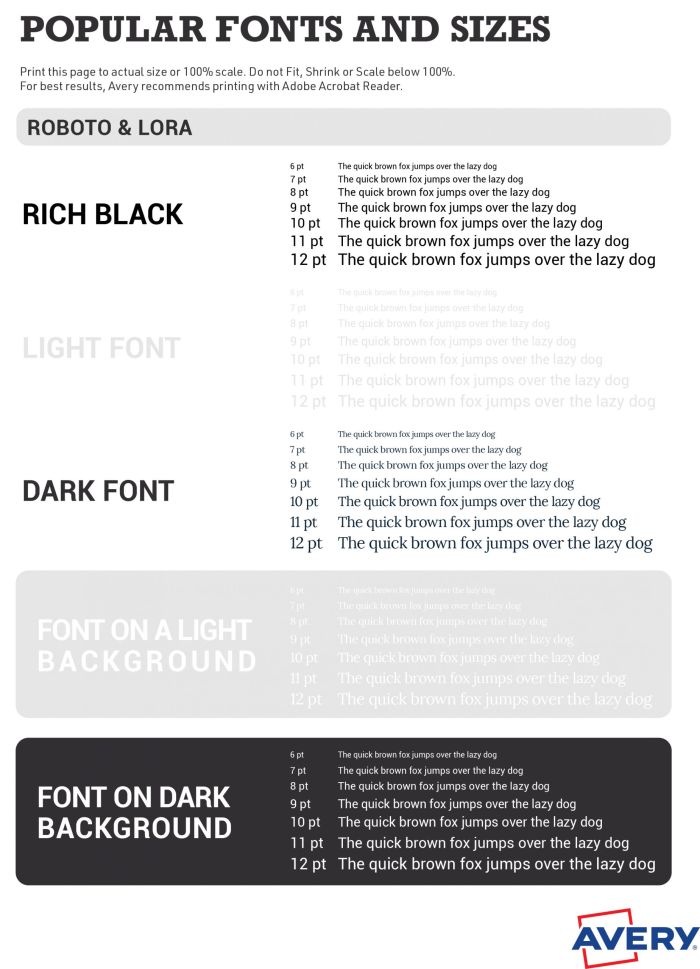
Do a test run
Want to try out what your font choice might look like on your labels? Use the free Avery label templates and design tool to get an idea.
Just pick your label size and personalize the label template with the free software. You can customize an Avery design, or upload your own, then play around with different fonts to see what you like best. Then you can even do a test run and print on some blank labels or even just on a sheet of paper to see what it looks like.
Once you’ve made a final decision, don’t go crazy. Print a few label sheets yourself before you order custom labels and test them out on family and friends before you invest in professionally printed labels.